Integrate with Ibexa Connect
You can use Ibexa Connect to create workflows. Qualifio collects user data and passes it directly to Ibexa Connect. With this data, you can create scenarios, for example, to add a user to newsletter, or to specific user segment group.
For more information, see Ibexa Connect documentation.
Use Ibexa Connect
Webhooks provide a powerful way to transfer data between applications in real-time. You can use webhooks to connect Qualifio with Ibexa Connect - integration platform (iPaaS).
This integration allows to collect data using Qualifio and then push it to another systems, such as CRMs, CDP, Marketing Automation platforms, or more.
Get the webhook URL
Use Qualifio App and scenario to get the webhook URL from Ibexa Connect.
To set up a webhook in Ibexa Connect, follow the steps:
1. Log in to your Ibexa Connect account.
2. Go to Scenarios and click the plus button to create a new scenario.
3. Select Receive participation data.
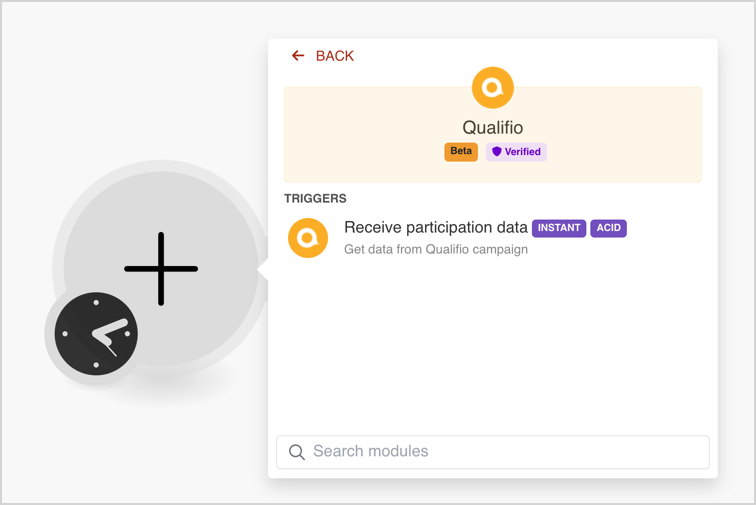
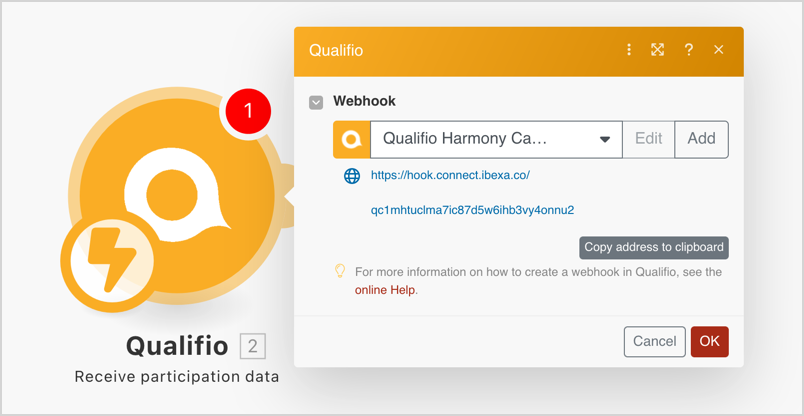
4. Click Create a webhook and provide a name for the new webhook.
5. Click Copy address to clipboard to save the URL.
Configure Qualifio
The next step is to configure Qualifio.
When a form submission event takes place, data can be sent through the obtained webhook URL.
To do it, perform the following actions::
1. Log in to your Qualifio account.
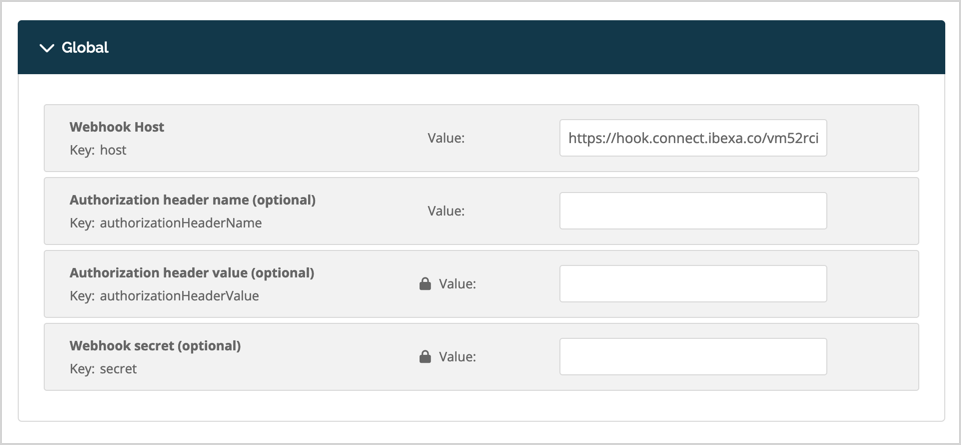
2. Go to Engage -> Integrations -> Integrations and select Webhook.
3. Paste the URL from the clipboard into Webhook Host field and click Save.
4. Then, go to Engage -> Integrations -> Push rules to define the default or specific rules for new campaign or website. Select the created webhook.